Review your statements from Medicare to understand your benefits and keep yourself safe from fraud.
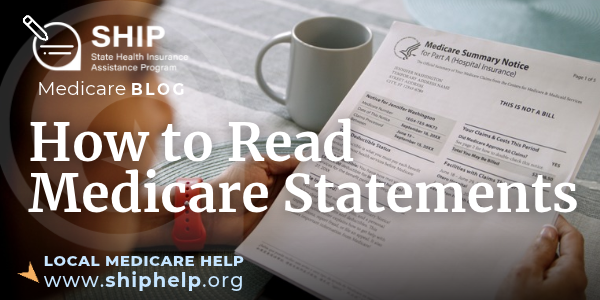
If you have Original Medicare, read your Medicare Summary Notice.
The Medicare Summary Notice (MSN) is sent to people with Original Medicare. The MSN is not a bill. It’s a summary of health care services and items you received in the last six months. It shows charges billed to your Medicare, the amount Medicare paid, and the amount you may be responsible for. If you owe money to your health care provider, that provider should reach out to you with a bill to pay. The bill should match the amount listed on your MSN.
You have three options to receive your MSN including (1) every six months by mail, (2) electronically each month, or (3) you can view your claims as Medicare processes them in your www.Medicare.gov online account. If you did not receive any health care services or items within the time period you select to receive your MSN, Medicare will not send you an MSN. If you need another copy of your MSN, you can call Medicare.
If you have a Medicare Advantage or Part D plan, read your Explanation of Benefits.
An Explanation of Benefits (EOB) is similar to an MSN, but it is sent by your Medicare Advantage plan (Part C) or Part D prescription drug plan. EOBs are usually mailed once per month. Like MSNs, you can choose to receive them by mail or electronically. An EOB is a summary of the services and items that you received and how much you may be responsible for them. It says how much your provider billed your plan, the approved amount that your plan will pay, and how much you may owe your provider. Like an MSN, an EOB is not a bill. If your EOB says you may owe money to your health care provider, that provider should contact you with your bill. While EOBs generally have the same information on them, the layout and other specifics vary by plan.
Use your Medicare Summary Notice or Explanation of Benefits to learn if a service was denied.
If you have Original Medicare, your MSN will list any services that are denied or not covered by Medicare. If there is a charge in this section, you’ll be responsible for paying it. The MSN should have notes in a comments section where the reason for the denial is explained. If you disagree with a non-covered charge, you can file an appeal by following the instructions on your MSN.
If you have a Medicare Advantage plan and your EOB shows that an item or service is not covered, look for a section that includes notes or comments to learn why. If you don’t understand the reason, contact your plan to learn more. The EOB has instructions on how to appeal a denial that you disagree with.
If possible, you should reach out to your health care provider to get help with an appeal. Your doctor can write a letter of support that addresses the reason for the denial listed on your MSN or EOB.
MSN and EOB statements can help detect fraud, errors, and abuse.
Your Medicare statement is one of the key tools you can use to detect fraud, errors, and abuse. Medicare fraud is when someone knowingly deceives Medicare to get payment when they should not, or to get higher payment than they should. For example, someone committing fraud may:
- Bill Medicare for services you never received or requested, such as a back brace
- Bill Medicare for services that are different from the ones you received (or more expensive)
- Continue to bill Medicare for rented medical equipment after you have returned it
- Offer or perform services that you do not need in order to charge Medicare for more services
- Use your Medicare number without permission
Remember that your MSN or EOB lists all of the services that your providers billed Medicare or your plan. If you read these statements regularly, you can ensure that your coverage is only being billed for care you actually received. If there are any suspicious claims, call your provider’s billing department right away to see if a mistake was made. If you do not recognize the provider, contact your local Senior Medicare Patrol or SMP.
Reading your Medicare statements is just one way to be on the lookout for Medicare fraud, errors, and abuse. Here are other tips for keeping track of your health care services.
- Keep a list of your doctors’ appointments and services to check against your MSNs or EOBs.
- Use a calendar or keep a record of your health care services, appointments, and items that you have received. You can use a printable My Health Care Tracker from your Senior Medicare Patrol (SMP) or the SMP Medicare Tracker mobile application (download from the Apple or Google app store).
Still have questions?
Your SHIP is here for you! You can contact your SHIP for any Medicare-related questions or concerns you have. SHIP counselors are government funded to provide trusted, unbiased Medicare counseling at no cost to you. (Depending on your state, your SHIP may go by another name.) Use our online SHIP Locator or call 877-839-2675 (and say “Medicare” when prompted) to find your local SHIP.
If would like to request a My Health Care Tracker or if you think you have experienced potential Medicare fraud, errors, or abuse contact your local Senior Medicare Patrol using the online SMP Locator or by calling 877-808-2468.